Free · Open Source · Self-Hosted

Karaoke with your own personal videos.

A personal karaoke server for your home network. Your video files play live as backdrops, songs download from YouTube Music, lyrics sync automatically. Now, Karaoke Your Way!

The Stage Screen

Your videos, live
behind the lyrics.

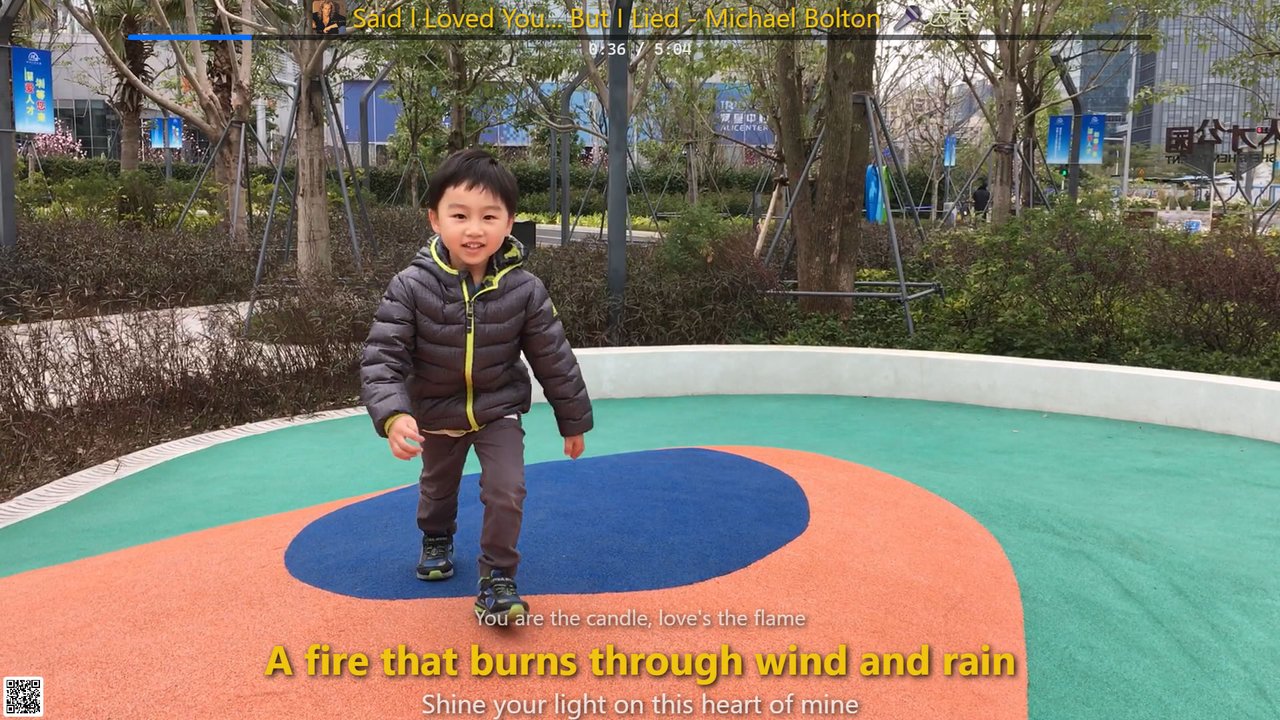
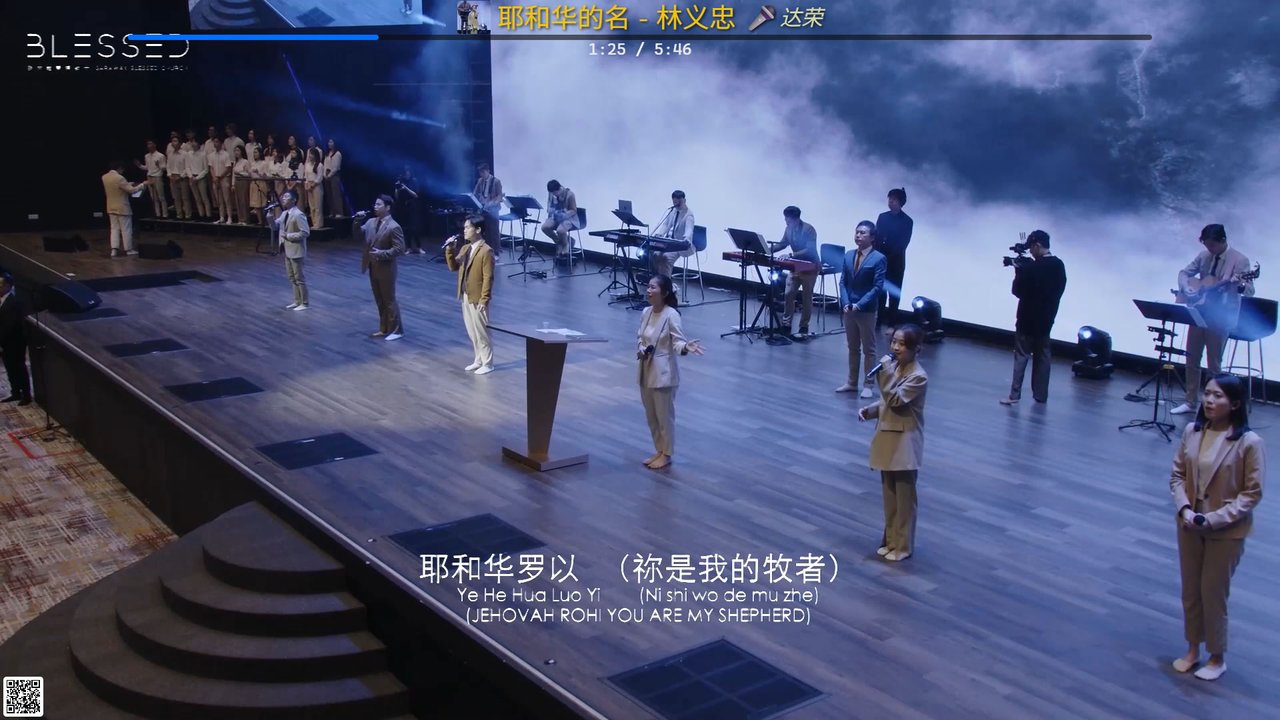
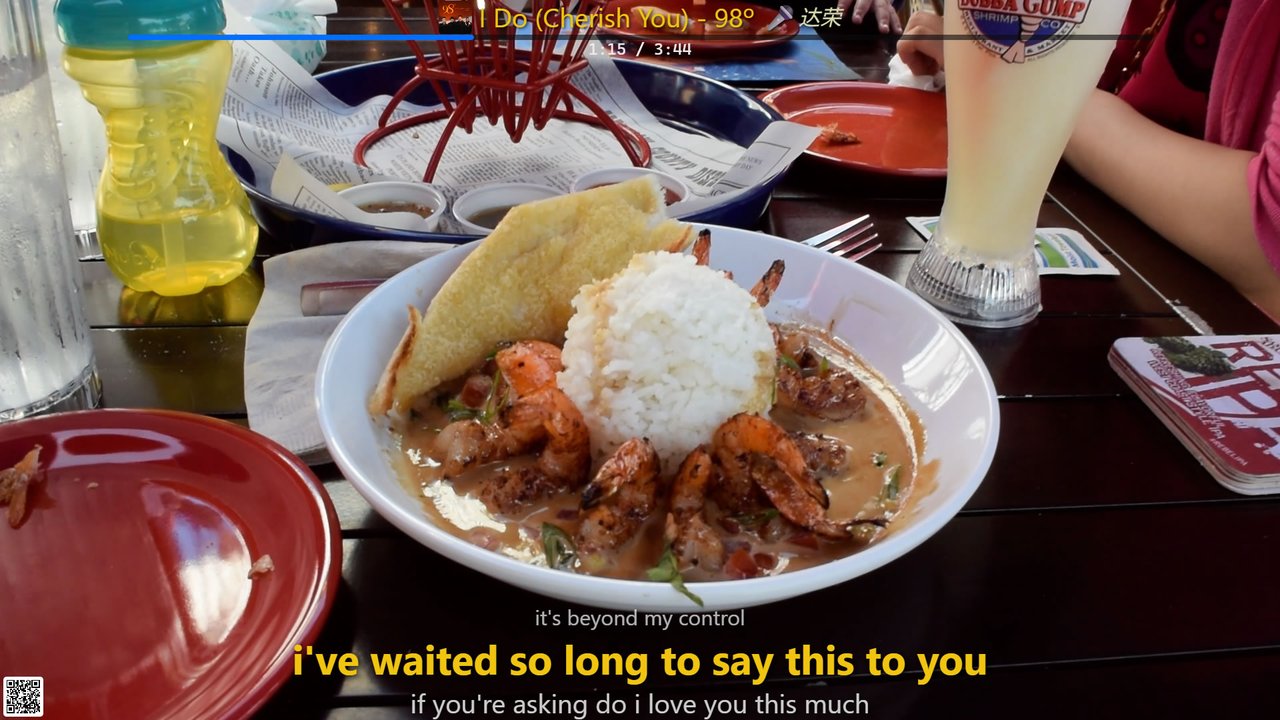
The host screen runs full-screen on any TV or monitor. Your personal video files play as a live backdrop while timed lyrics scroll in perfect sync — automatic orientation detection included.

1080p host / stage screen — some live screenshots here

Features

Everything for a
great karaoke night.

🎬
Personal Video Backgrounds

Point iKARA at any folder of MP4, MKV, MOV or AVI files. They play live behind the lyrics — no cloud uploads, completely private.

🔄
Auto Orientation Detection

ffprobe reads each video's real dimensions at startup. Portrait goes to portrait screens, landscape to landscape. Zero manual sorting.

🎵
Auto-Synced Lyrics

Queries NetEase, SyncedLyrics, and LRCLIB on every download. Timed .lrc lines scroll in perfect sync on the stage screen.

🔍
YouTube Music Search

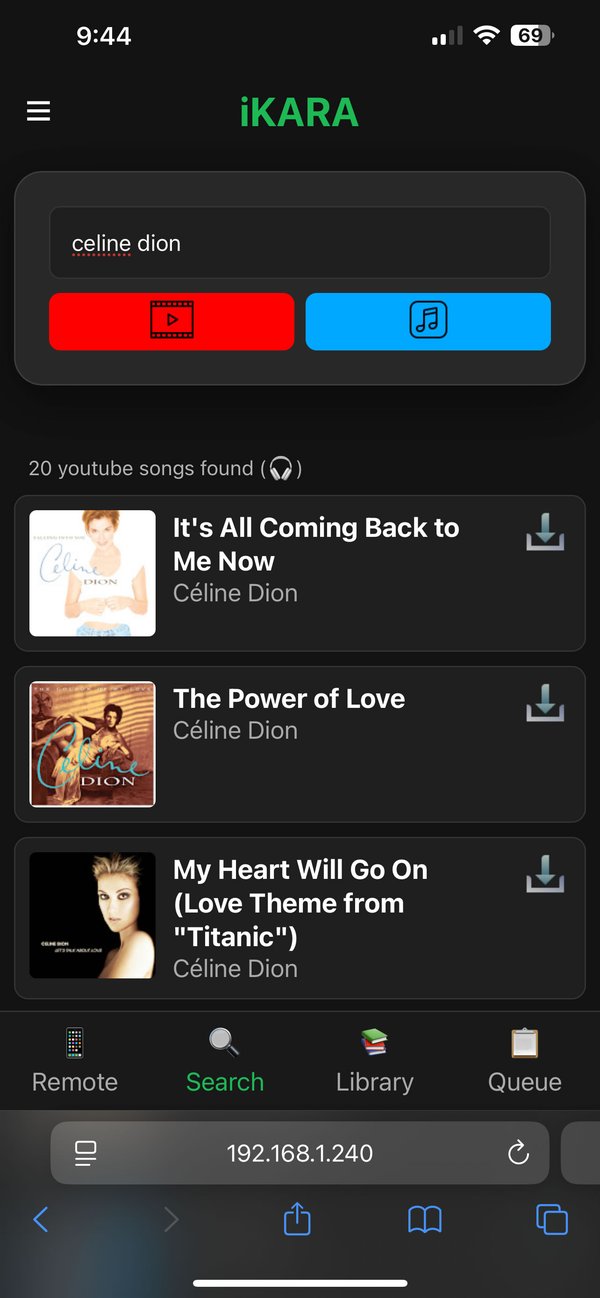
Search and download audio or video tracks via YouTube and YouTube Music. Or paste any YouTube URL to grab it directly as a karaoke track.

📱
Phone as Remote

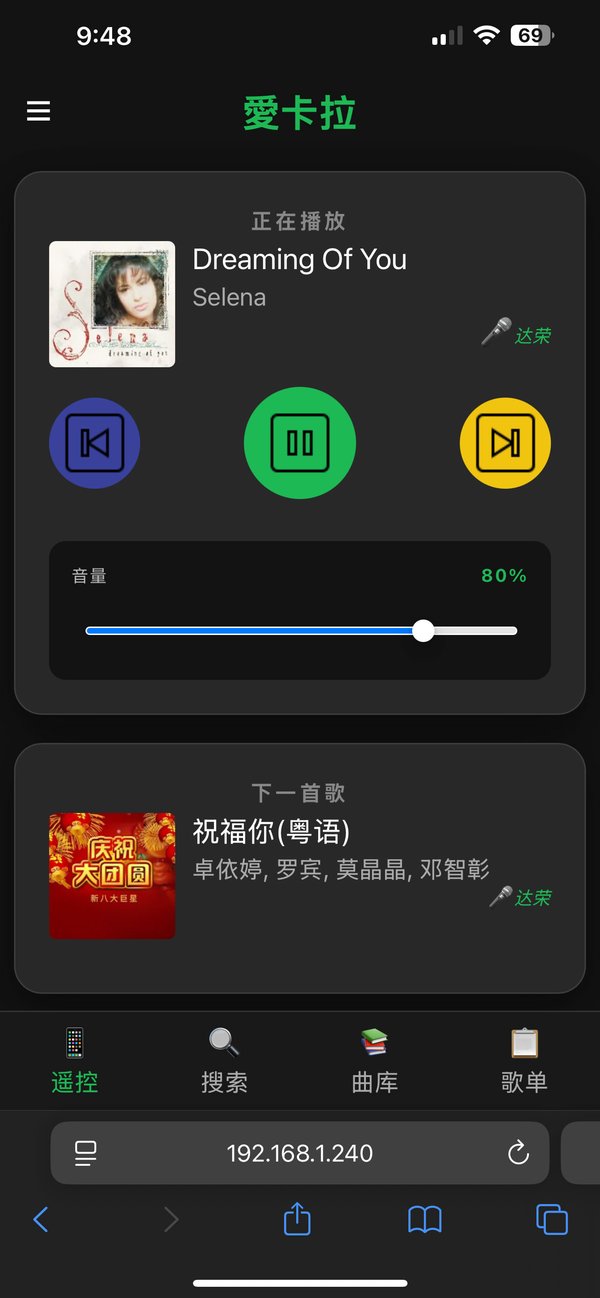
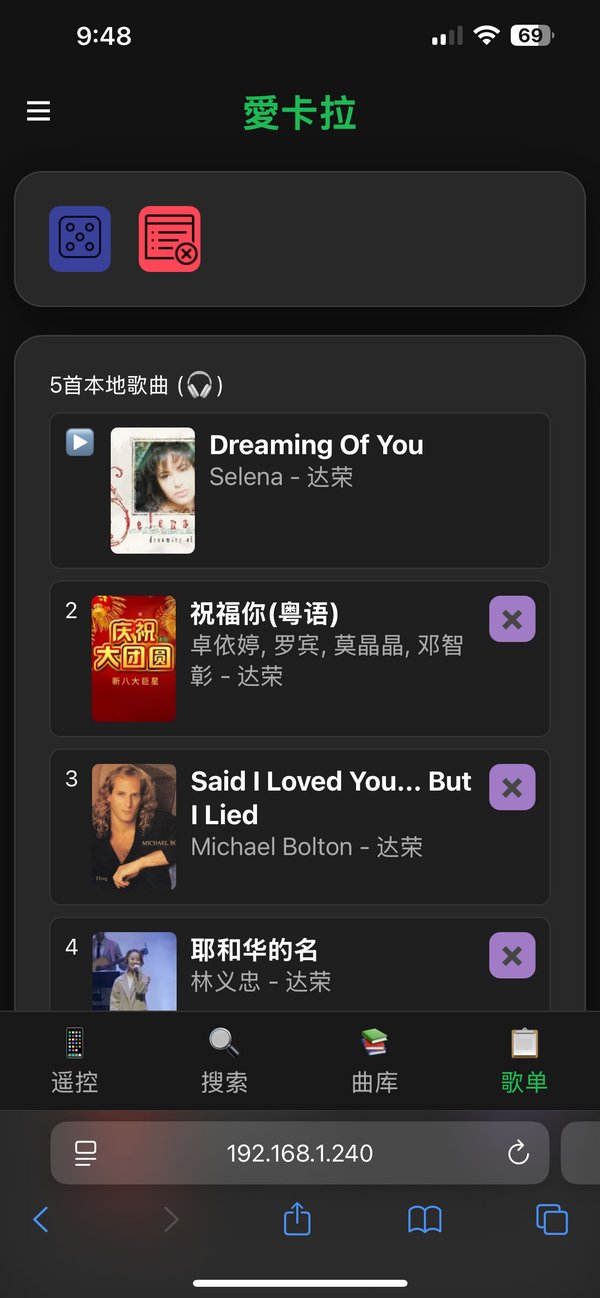
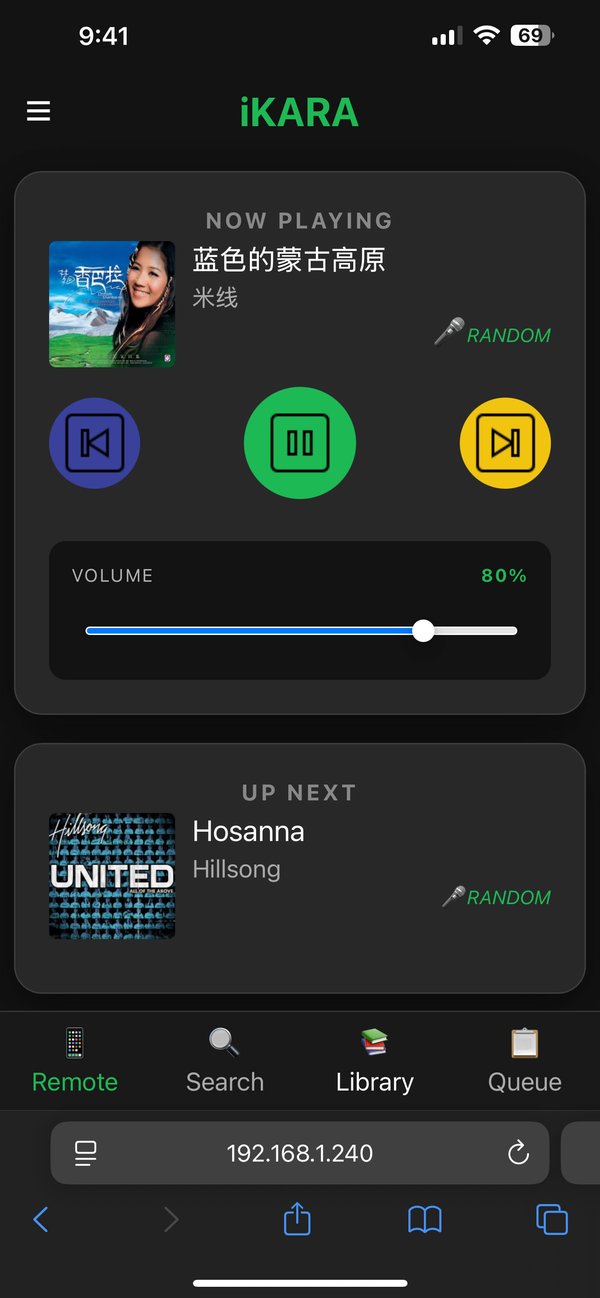
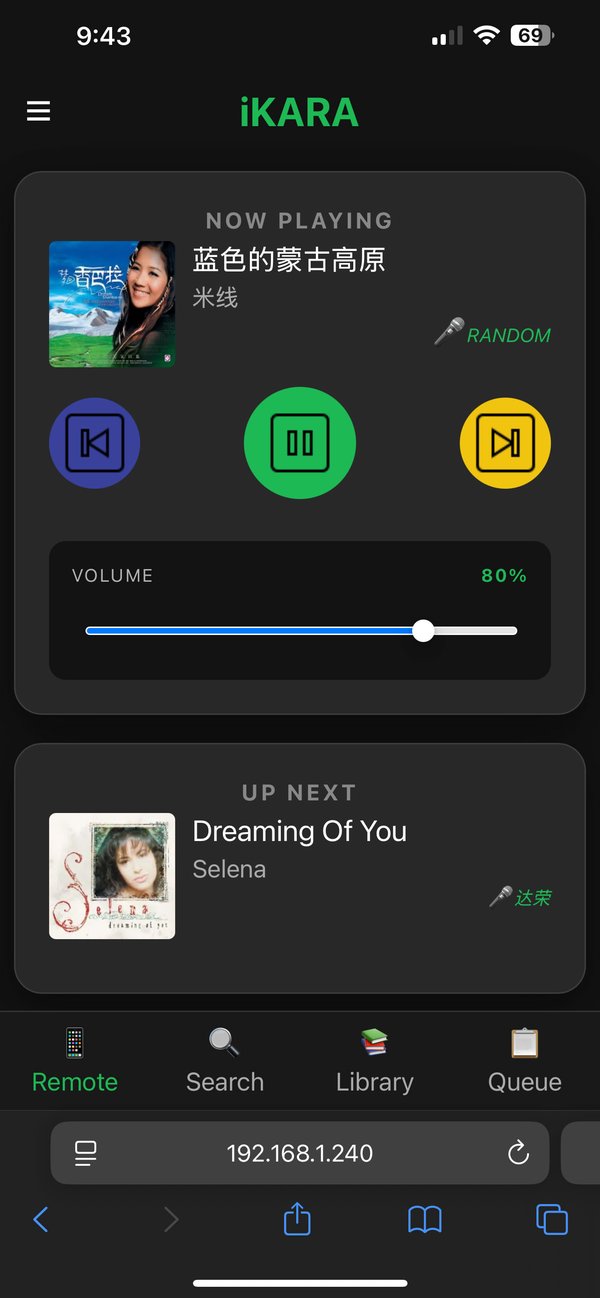
Guests scan a QR code and get a full remote in their browser. Search, queue, drag-to-reorder, volume. No app to install.

🀄
Full Chinese Search

Search by Simplified, Traditional, Pinyin, or shorthand at the same time. Type xpg to find 小蘋果 instantly.

📋
Smart Queue

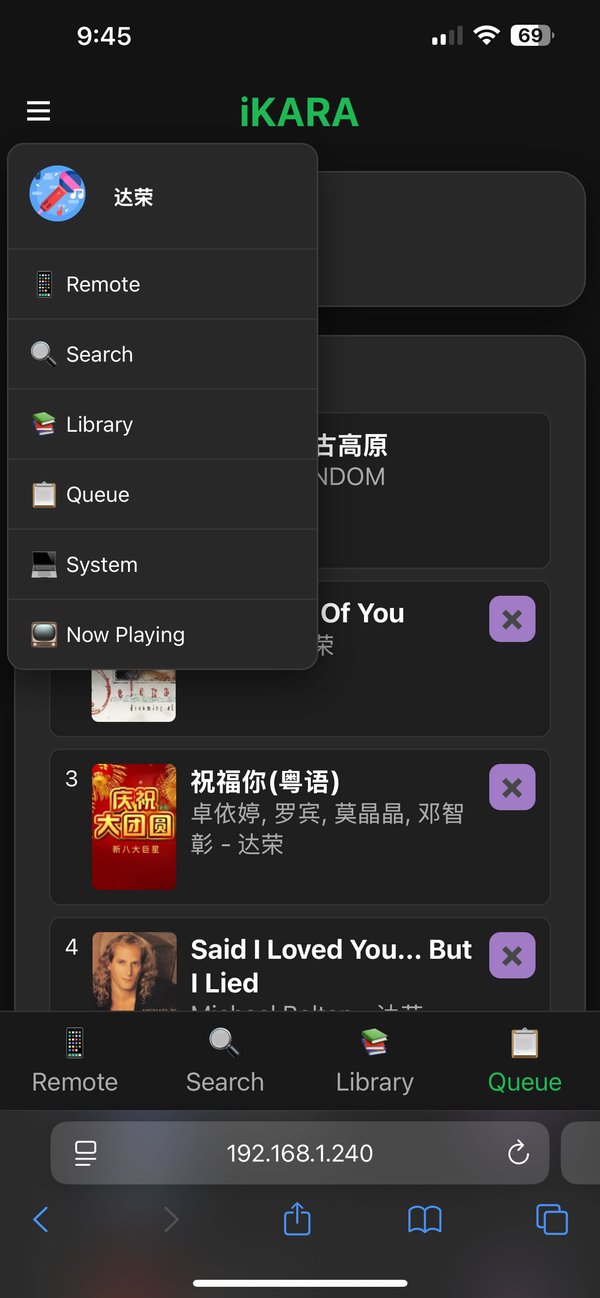
Drag-and-drop reorder, skip, or clear. Add random library songs. Socket.IO keeps every screen in real-time sync.

📚
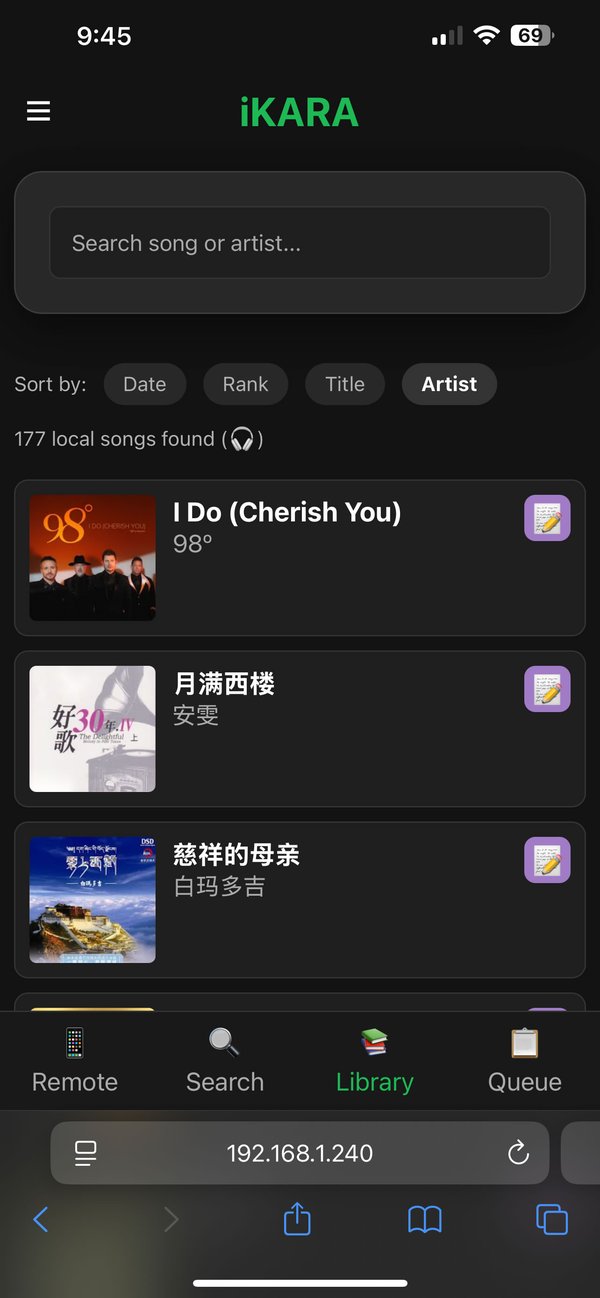
Library Editor

Edit title, artist, or lyrics after download. All changes propagate instantly to every connected screen.

🔒
100% Local

Runs entirely on your LAN. No account, no subscription, no data leaves your network. Your library, your night.
How it works

Up in four steps.

00
Requirements

Download Install Python and FFmpeg, Add FFmpeg to your systems PATH.

01
Install & Configure

Run pip install -r requirements.txt, copy config.example.json and point it at your folders.

02
Start the Server

Run python main.py. Stage screen opens automatically. Videos are scanned and indexed via ffprobe.

03
Guests Scan & Join

Show the QR code. Anyone on Wi-Fi scans it and gets a full remote in their browser — nothing to install.

04
Search & Sing

Search YouTube Music, tap download. Song appears in the queue with synced lyrics attached. Hit play.

Guest Remote

Every phone
is a remote.

Guests scan a QR code on the stage screen and instantly have full search and control — no app download, no login, no friction.

  • Search YouTube Music and YouTube videos
  • Download songs directly to the shared library
  • Drag-and-drop queue reordering
  • Volume and playback control from any device
  • English and Chinese UI built in
Built with
Python 3.11+FastAPISocket.IO SQLiteSQLAlchemyyt-dlp ytmusicapiffprobesyncedlyrics Jinja2uvicornpypinyinOpenCC

Ready to sing?

Free, open source, runs on your machine. No subscription. Ever.